Claude Code vs. Claude Work vs. Claude Web - which one when
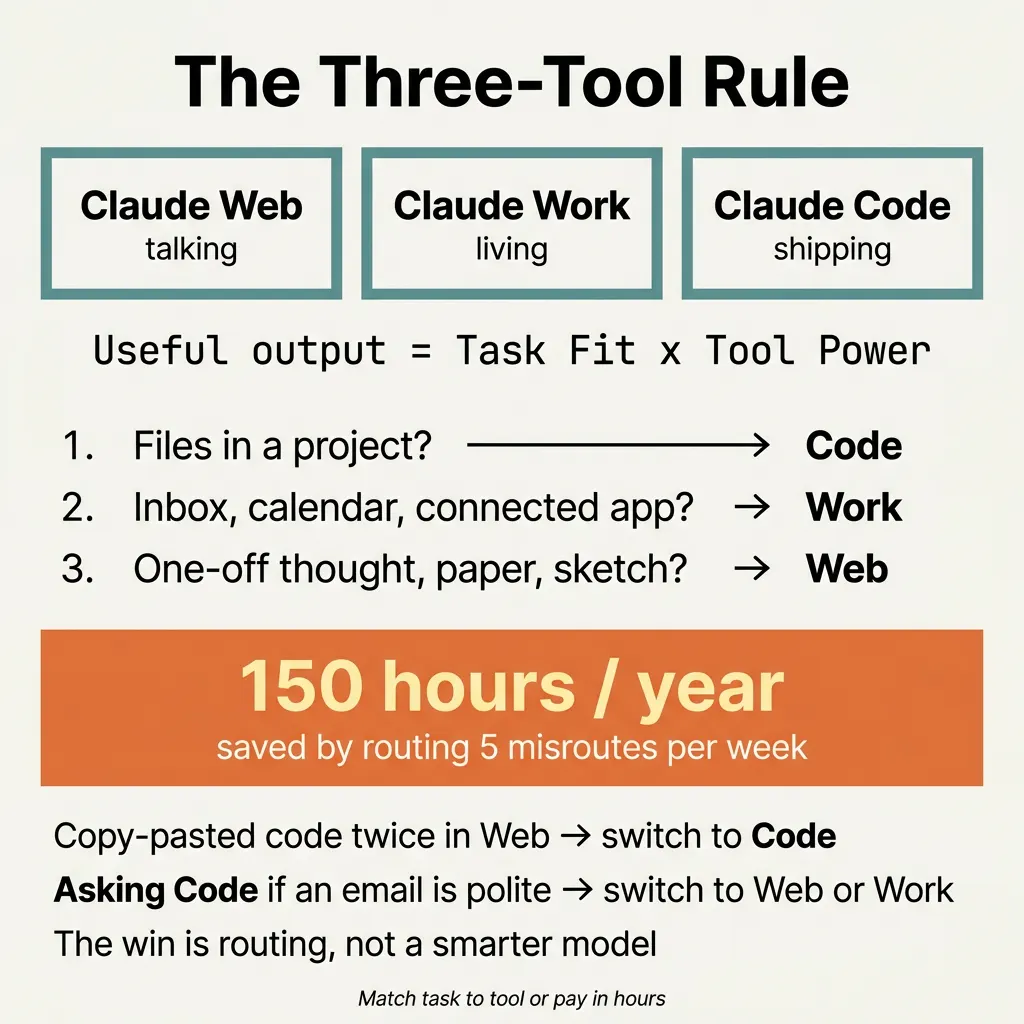
Fig. 1 - visual summary. Source: caveman version.
Contents
The Three-Tool Rule
The biggest waste of AI time is not bad prompting. It is tool mismatch.
One person pastes a 40-file refactor into claude.ai. Another opens Claude Code to ask “what is a good email signature.” Both lose an hour they did not have to lose.
The Three-Tool Rule: each Claude product solves a different problem. Match the task to the product or you pay in hours.
Web is for talking. Work is for living. Code is for shipping.
The math
Useful output = Task Fit × Tool Power.
If Task Fit is zero, no model rescues the session. You can run Claude’s smartest model on the wrong product and still lose. The model is not the bottleneck. The interface is.
The three tools
| Tool | Where | Best for | Wrong for |
|---|---|---|---|
| Claude Web | claude.ai (browser) | One-off questions, exploration, brainstorming, document analysis, artifact prototyping | Multi-file code, anything that touches a repo |
| Claude Work | Desktop and mobile app | Inbox triage, meeting prep, calendar queries, voice dictation. OAuth-connected to Gmail, Calendar, Drive, Notion, Slack, Linear, GitHub | Writing code, running shell commands |
| Claude Code | CLI in your terminal | Multi-file refactors, debugging, builds, tests, opening pull requests. File access, git, shell | One-line questions, “is this email polite enough” |
A Max or Pro plan gets you all three. Most people use one and forget the others exist. That is where the hours go.
Worked example
A 45-minute chat on claude.ai. Two round-trips of “here is the file” and “here is the updated version.” Copy-paste both directions. Context drifts. The assistant guesses at file contents it cannot see. You ship a bug.
Same task in Claude Code: open the directory, point at the files, one diff, applied, tests run. Eight minutes.
37 minutes saved per misroute. Five misroutes a week. Three hours a week. 150 hours a year. One full work month.
The decision tree
When a new task lands, run it through this in about two seconds:
- Does it touch files in a project? → Claude Code. Stop reading. Open the terminal.
- Does it touch inbox, calendar, or a connected app? → Claude Work.
- Is it a one-off thought, research question, or visual prototype? → Claude Web.
The failure mode
The most common mistake: people use Web for everything because they discovered it first.
You can feel it happening. You are in a 45-minute chat on claude.ai, pasting code back and forth, losing context, the assistant is guessing at file contents it cannot see. That is the signal to switch to Code.
Two-rule heuristic:
- If you copy-paste code or a file twice, close the tab. Re-open in Code.
- If you are in Code asking “is this email polite enough,” close it. Re-open in Web or Work.
Pro tips
- Web Projects (persistent context across chats) is the most-underused part of the Web tier. Use one per long-running topic.
- Claude Code is not Claude Web with a terminal. It runs commands, reads files, opens pull requests. Treat it as an IDE, not a chat box.
- Voice dictation in Claude Work mobile beats typing for end-of-day inbox triage.
Maxim
Routing the right task to the right interface beats a smarter model.
Recap
- Three Claude products, three different jobs.
- Useful output = Task Fit × Tool Power.
- Files in a project → Code. Inbox or calendar → Work. One-off thought → Web.
- Two copy-pastes of code in Web means you are in the wrong tool.
- The productivity gain is not the model. It is the routing.