How well does an RTX 5090 run Qwen3.6-35B?
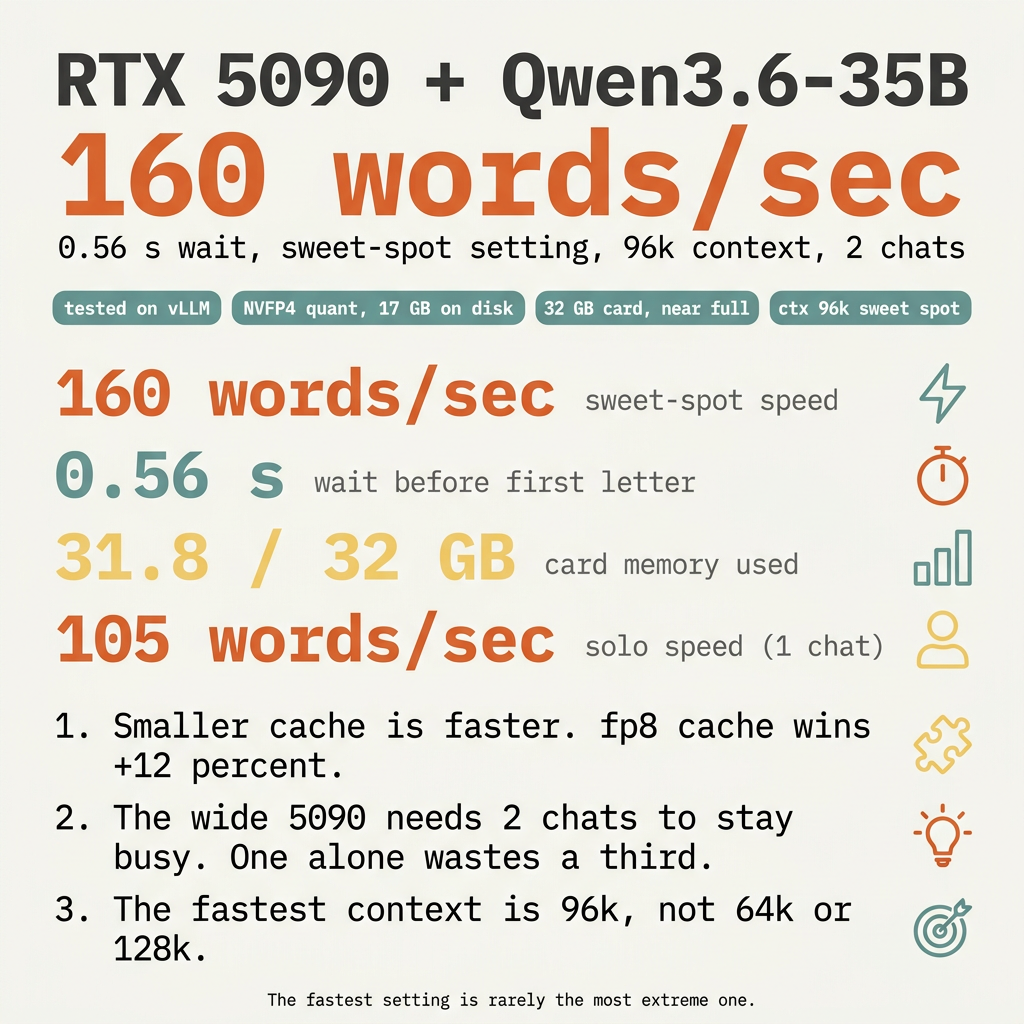
Fig. 1 - visual summary. Source: caveman version.
Contents
- What you need to know
- The numbers
- The sweet-spot recipe
- The setup that produced these numbers
- Three things I did not expect
- Smaller cache is faster
- One chat alone wastes 35 % of the card
- 96k beats both 64k and 128k
- The two bugs that cost me 90 minutes
- A dropped backslash in the launcher script
- Cryptic Mamba assertion
- What to do
- Pro tips
- Recap
How well does an RTX 5090 run Qwen3.6-35B? I tested it on vLLM.
105 words a second when one person uses it. 160 words a second at the sweet-spot setting (two chats at once, 96k context). 0.56 second wait before the first letter. 32 GB card almost full at every setting.
That is your answer. The card runs this AI very well, with a few sharp edges along the way.
What you need to know
- The AI: Qwen3.6-35B-A3B-NVFP4. A 35-billion-parameter model in mixture-of-experts style. Activates only 3 billion parameters per word, so it runs fast for its size. Built with a “hybrid” mix of Mamba and attention layers.
- The card: RTX 5090, 32 GB of fast memory. Built on the Blackwell chip, which has fifth-generation tensor cores.
- The software: vLLM, version 0.19.1. Free, open source. Production-grade server with PagedAttention, prefix caching, and chunked prefill. The numbers in this article come from that server. Other software (llama.cpp, Ollama, LM Studio) gives different numbers — usually slower at high concurrency, sometimes simpler to run.
- Quantisation: NVFP4. A 4-bit floating-point format that runs on the chip itself. Shrinks the 35-billion-parameter model down to about 17 GB. Native to Blackwell. Does not work on older cards.
- Context window: 96k tokens at the sweet-spot setting. 128k single-stream. Longer answers fit than on a 24 GB 4090.
The numbers
| What | Result |
|---|---|
| Solo speed (1 chat) | 105 words a second |
| Sweet-spot speed (2 chats, 96k) | 160 words a second total, 80 each |
| Solo wait | 1.12 seconds |
| Sweet-spot wait | 0.56 seconds |
| Card memory used | 31.8 GB out of 32 |
| AI file size on disk | 17 GB |
The sweet-spot recipe
Three flags do almost all the work:
--kv-cache-dtype fp8— halves the memory of the cache. More room for prefix caching. Faster runs.--max-num-seqs 2— two chats at once. The 5090’s tensor cores need at least two streams of work to stay busy. One alone leaves the card half-idle.--gpu-memory-utilization 0.94— let vLLM use 94 % of the card. Below that, headroom wasted. Above that, crashes.
Match all three. You get 160 words a second.
The setup that produced these numbers
vllm serve RedHatAI/Qwen3.6-35B-A3B-NVFP4 \
  --served-model-name qwen36 \
  --host 0.0.0.0 --port 10002 \
  --max-model-len 98304 \
  --max-num-seqs 2 \
  --gpu-memory-utilization 0.94 \
  --kv-cache-dtype fp8 \
  --max-num-batched-tokens 8192 \
  --enable-prefix-caching \
  --enable-chunked-prefill \
  --enable-expert-parallel \
  --enable-auto-tool-choice \
  --tool-call-parser qwen3_xml \
  --reasoning-parser qwen3
For 128k context (slower but bigger window): change to --max-model-len 131072 --max-num-seqs 1. You get 135 words a second.
Three things I did not expect
Smaller cache is faster
I expected the 4-bit fp8 cache to be slower than the 16-bit bf16 cache. Less precision usually means more recompute.
Wrong. fp8 is +12 % faster. The reason: a smaller cache means the prefix-cache (the AI’s notepad of recent tokens) hits more often. More hits, less work.
One chat alone wastes 35 % of the card
Solo (one chat): 105 words a second. Two chats: 155-160 each combined. The 5090’s tensor cores are wide. They need at least two streams of work in flight to fill the pipeline.
If you are the only user, you are leaving a third of the card on the floor.
96k beats both 64k and 128k
The fastest context size is in the middle, not at either end.
- 64k: too small. The cache fills, then thrashes.
- 128k: too big. Memory pressure, slower kernel.
- 96k: cache big enough for deep prefix-cache hits, small enough to avoid the squeeze.
The fastest setting is rarely the most extreme one.
The two bugs that cost me 90 minutes
A dropped backslash in the launcher script
First nine test runs all crashed in 6-10 seconds. Memory usage was identical on every crash: 32,607 MiB. Something was eating the whole card before vLLM even started.
Cause: a multi-line shell script lost a \ continuation character on line 11. The shell ran vllm serve <model> with default flags. Default context is 2048 tokens. Default memory utilisation tries to grab everything. Out-of-memory crash.
Lesson: when you copy-paste a multi-line command, run cat -A on the file first. You see $ at the end of every continuation line. A missing \$ is the bug. 30 seconds. Saves an hour.
Cryptic Mamba assertion
After fixing the backslash, half the runs still crashed:
AssertionError: In Mamba cache align mode, block_size (2096) must be
<= max_num_batched_tokens (2048).
Cause: hybrid Mamba-attention models need their cache blocks aligned. With fp8 cache turned on, vLLM sets the block size to 2096. The default --max-num-batched-tokens is 2048. Off by 48.
Fix: --max-num-batched-tokens 8192. One flag. Kills the crash.
Lesson: when you debug, tail the fresh log of the new run, not greps across old logs. The new log told me exactly what was wrong.
What to do
- Confirm you have a 5090 (or any Blackwell card with 32 GB and NVFP4 support). On a 4090 or older, NVFP4 weights will not load.
- Install vLLM 0.19.1 or newer.
- Pull the model:
RedHatAI/Qwen3.6-35B-A3B-NVFP4. About 17 GB. - Use the sweet-spot config above. Confirm 160 words a second on a short prompt.
- Always set
--max-num-batched-tokens 8192when you turn on fp8 cache. Otherwise you will hit the Mamba assertion. - Cap
--gpu-memory-utilizationat 0.94. Above that, the card crashes. - Never run
--enforce-eageroutside of debugging. It runs about 5 times slower than the default.
Pro tips
- The model is a reasoning model. Add
--reasoning-parser qwen3to keep thinking in a separate field from the answer. - vLLM’s PagedAttention scheduler shines at high concurrency. If you serve more than four users, dial up
--max-num-seqsand watch the curve. - The
--enable-expert-parallelflag costs nothing and adds about 1 % throughput on this MoE model. Worth keeping.
Recap
- An RTX 5090 runs Qwen3.6-35B at 105 words a second solo, 160 words a second at the sweet spot.
- The sweet spot: 96k context, fp8 cache, two chats at once, 0.94 memory utilisation.
- Smaller cache is faster, not slower.
- One chat alone wastes a third of the card.
- The fastest setting is rarely the most extreme one.
- Hybrid models need
--max-num-batched-tokens 8192when fp8 cache is on. - The card runs this AI very well.